 Rink Rocks
The game-day DJ app for minor hockey
Warm-up music, a team intro that calls every player onto the ice, and goal announcements with the scorer and the assist by name. All from one phone, one-handed, in a dark arena.
Free while we're testing. No spam, ever.
- Works at the rink with no signal
- iPhone and Android
- Names said the right way, every time

What is Rink Rocks?
Rink Rocks is a phone app that turns whoever has the aux cord at a minor hockey game into a real arena DJ. It plays your warm-up and stoppage music, runs a pregame team intro, and when your team scores, an arena announcer calls the goal and the assist by each player's name and number, then their goal song kicks in.
It's built for volunteers: team DJs, parents and coaches who have a phone, a speaker or the rink's sound system, and about two seconds to get it right while the play's still going.
How does a game sound with Rink Rocks?
Four moments, each one a single tap.
- Warm-up
Pregame playlist
Your warm-up songs crossfade into each other while the team skates. Fade out with one button.
- Before puck drop
Team intro
"And now, introducing your..." The announcer calls every player onto the ice over your intro song.
- Every whistle
Whistle and Puck Drop
Stoppage music comes in at the best part of the song. When the ref's ready, Puck Drop fades it out.
- Goal!
The goal call
Tap the scorer, tap the assist, tap GOAL. Horn, announcer, then that player's own goal song.
What can Rink Rocks do?
Goal calls by name
"Goal scored by number 17, Owen Mitchell! Assisted by number 9..." Recorded for every player on your roster, ready before the game.
Names said right
Write a tricky name the way it sounds and hear it back before you save. The spelling on screen stays the same.
Playlists that crossfade
A warm-up list that plays songs from the top, and a stoppage list that starts each song exactly where you set it.
Works with no signal
Load the game audio before you get to the rink. After that everything plays from your phone, dead zone or not.
Built for one hand
Big buttons, a dark screen, and nothing that cuts the music with one stray tap. Your eyes stay on the ice.
Share the job
Invite another DJ or a coach to your team. Same roster, same playlists, whoever's in the box that night.
Who uses Rink Rocks?
You volunteered for music and now you're juggling Spotify, a horn app and a sticky note of jersey numbers. This is one app for all of it.
Your kid scores and the whole rink hears their name. Set it up once at the start of the season and it's there every game.
A bigger game feel for a house league or rep team, without asking anyone to learn a sound board. Hand a parent the phone and go.
How do I set it up?
Six short guides take you from a new account to running a full game.
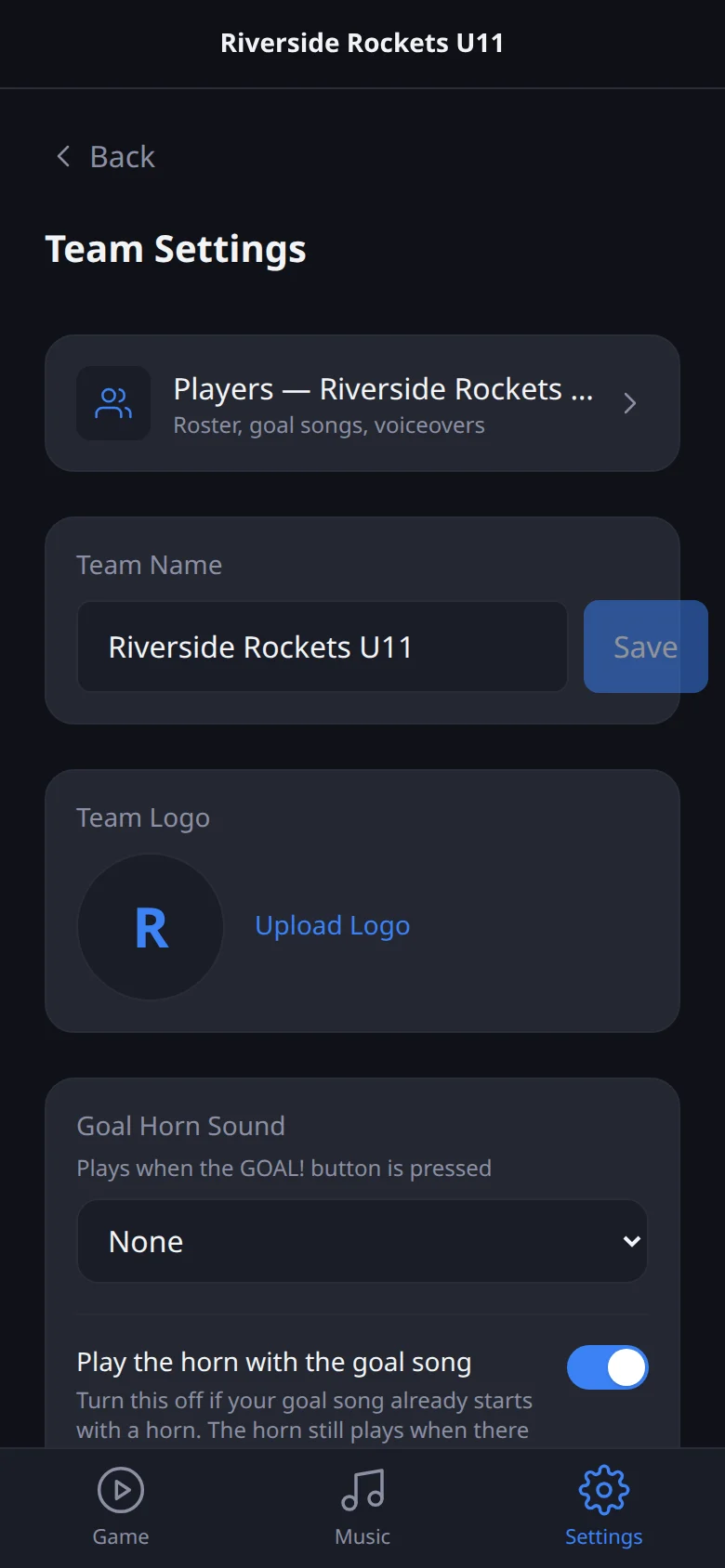
Create your account and your team
Sign up with your email, confirm it, then tap Create a team and give it a name.
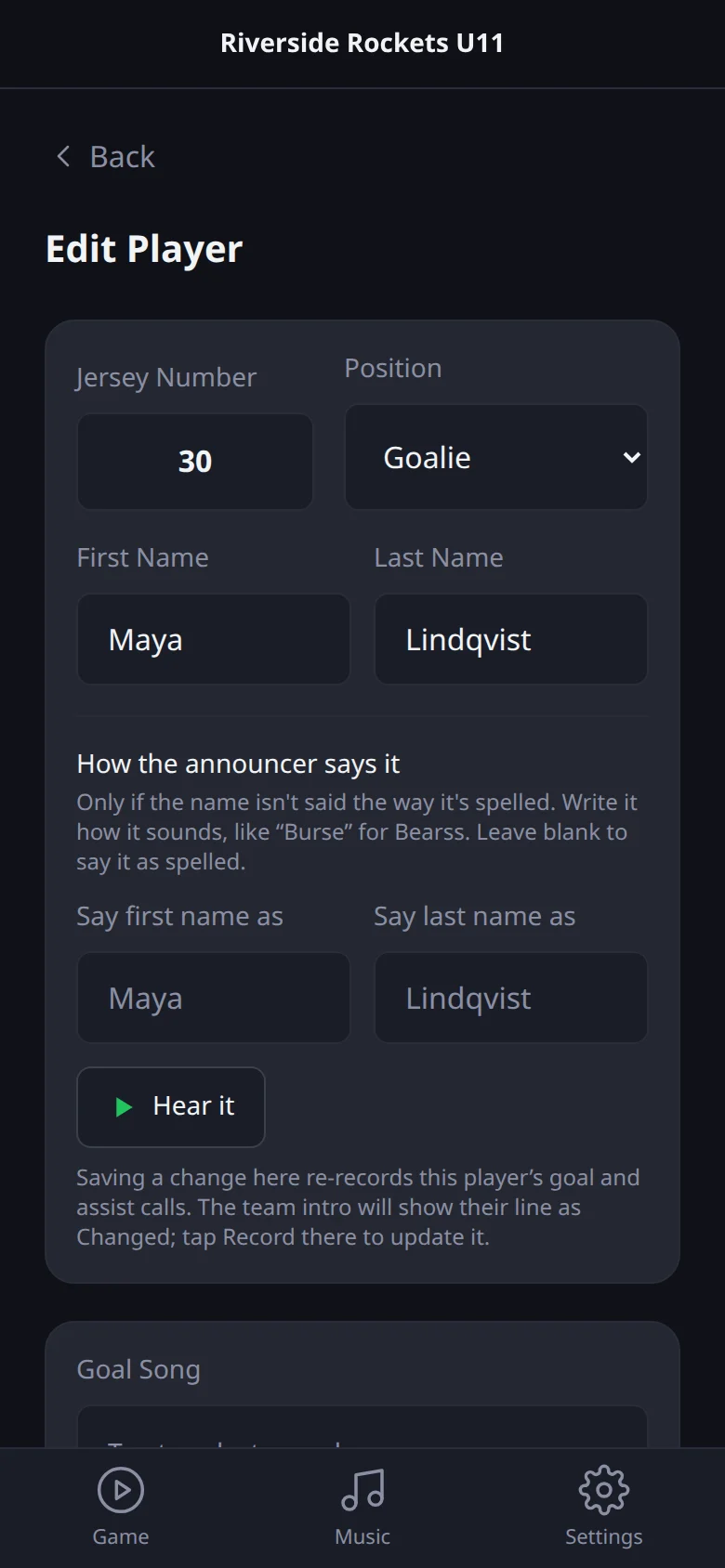
Add your players and their goal calls
Go to Settings, your team, then Players, and tap the plus button.
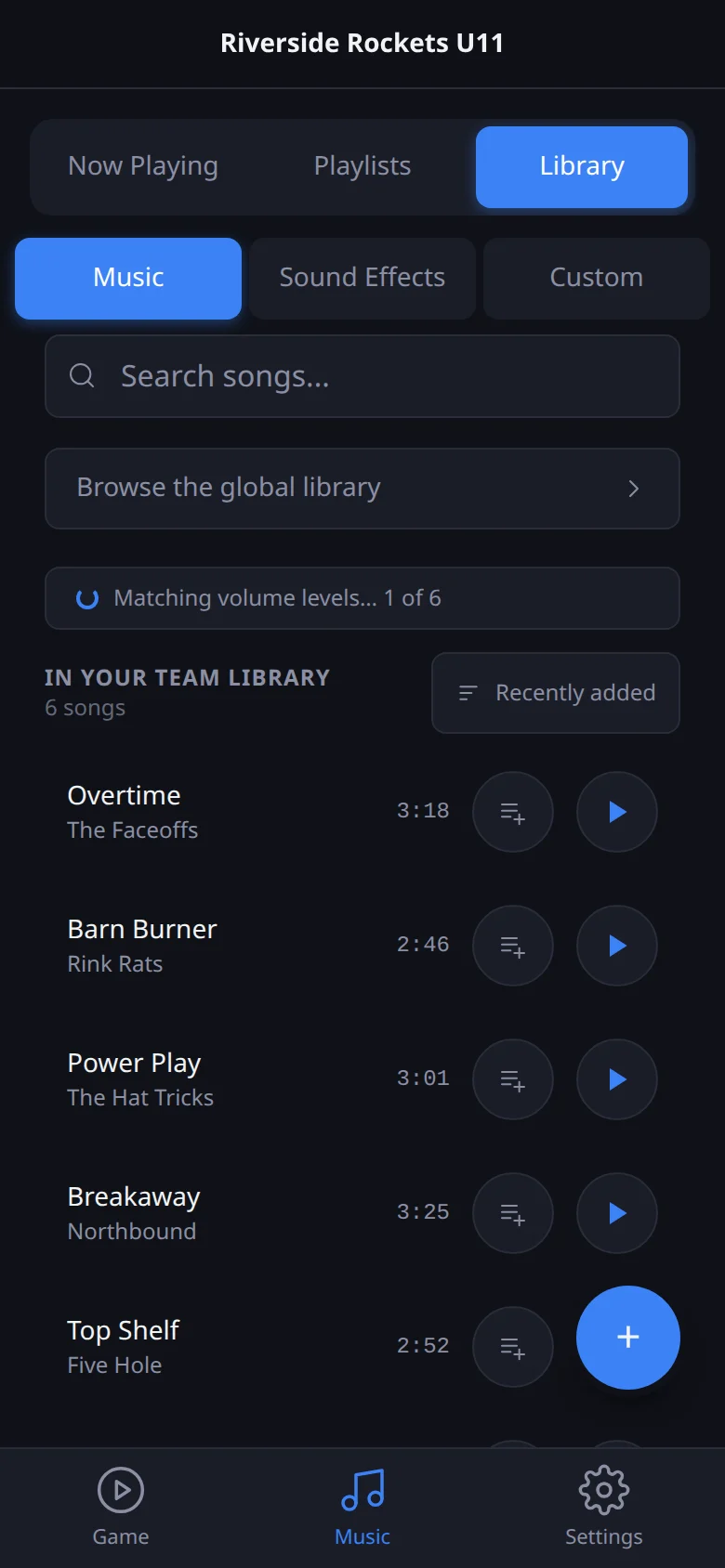
Add your music
Open Music, then Library, and tap the plus button to upload an audio file (MP3, WAV, M4A, OGG or AAC).
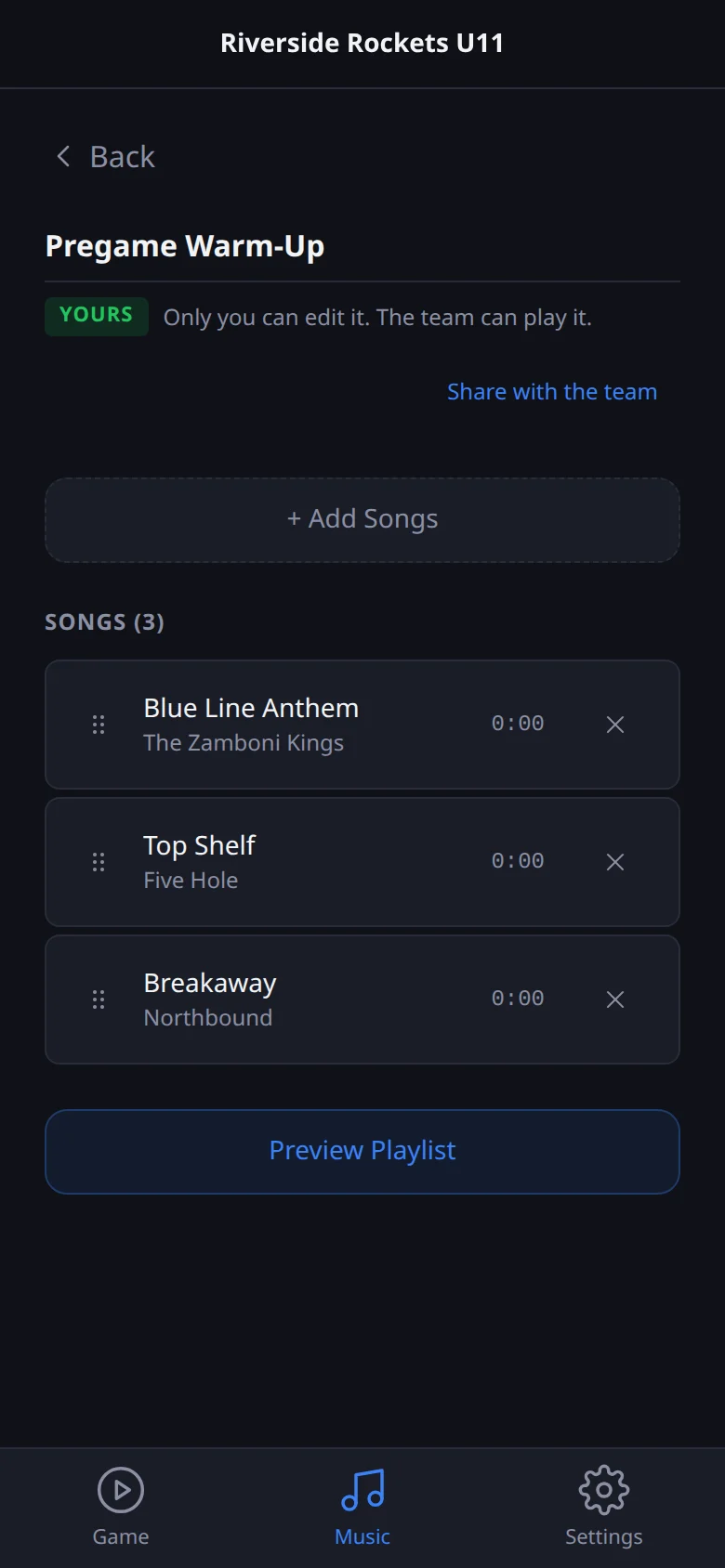
Build your pregame and in-game playlists
Open Music, then Playlists, and tap Create New Playlist.
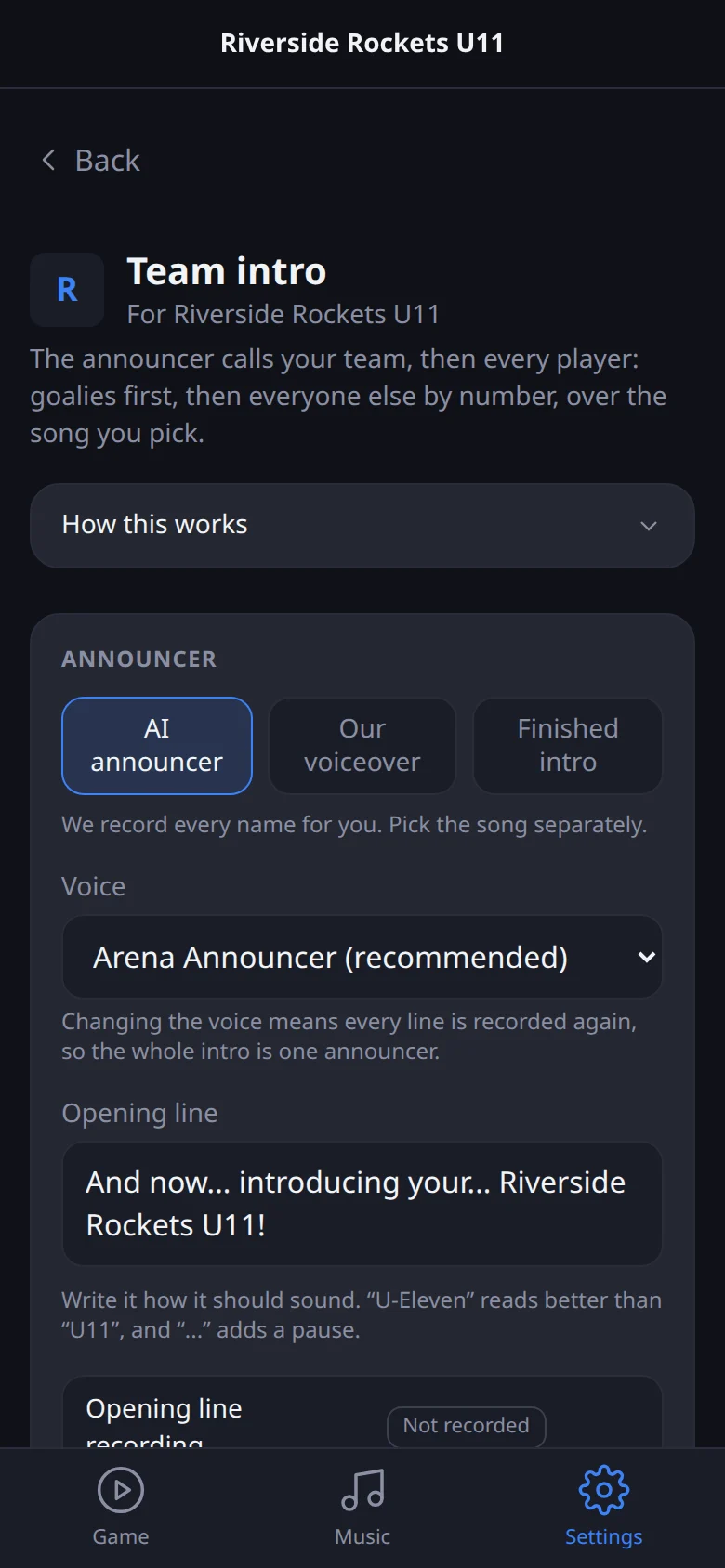
Set up your team intro
Go to Settings, your team, then Team intro.
Run the music during a game
Open Game and tap Load Game Audio while you still have a signal.
Questions people ask
What is Rink Rocks?
Rink Rocks is a game-day DJ app for minor hockey. From one phone it plays your warm-up and stoppage music, runs a pregame team intro, and announces goals with the scorer and the assist by name and number, followed by that player's goal song.
When can I get it?
Rink Rocks is in testing with our own team right now, on iPhone and Android. We're fixing what real games teach us before opening it up. Join the waitlist and you'll hear from us first.
How much does it cost?
Nothing while it's in testing. We'll share pricing before the public launch, and people on the waitlist will hear it first.
Does it work on iPhone and Android?
Yes, both. Music keeps playing with the screen locked, and you can switch to other apps without it stopping.
Do I need internet at the rink?
No. Tap Load Game Audio before you leave home or in the parking lot, and everything plays from your phone after that. You need a connection to sign in the first time and to make changes to your roster or announcer recordings.
Where does the music come from?
Your own music. You upload songs you own, or on iPhone, import songs you bought from your Music library. Rink Rocks doesn't stream from Spotify or Apple Music, because those services don't allow their songs to be played over a public sound system.
Is it legal to play music at the rink?
Playing recorded music in public in Canada is covered by a licence held by the venue, usually through SOCAN and Re:Sound (often bundled as Entandem). Most arenas already have one. If you're not sure, ask your rink or your association.
How does the announcer know how to say each name?
It reads the name you type. If a name isn't said the way it's spelled, you write it the way it sounds, like "Burse" for Bearss, and tap Hear it to check before you save. The spelling everyone sees doesn't change.
What do I need besides my phone?
A way to get sound into the rink: the arena's sound system (an aux cable or Bluetooth into the PA), or a portable Bluetooth speaker for smaller rinks and tournaments.
Can more than one person run the music?
Yes. The team owner can invite other DJs and coaches. Everyone on the team shares the same roster, goal songs and team playlists, so whoever's in the box that night is ready to go.
Get Rink Rocks for your team
We're testing with our own team right now and fixing what the rink teaches us. Join the waitlist and you'll be first in when it opens.
- One email when it's ready, and the odd update
- No charge while it's in testing
- Unsubscribe any time